
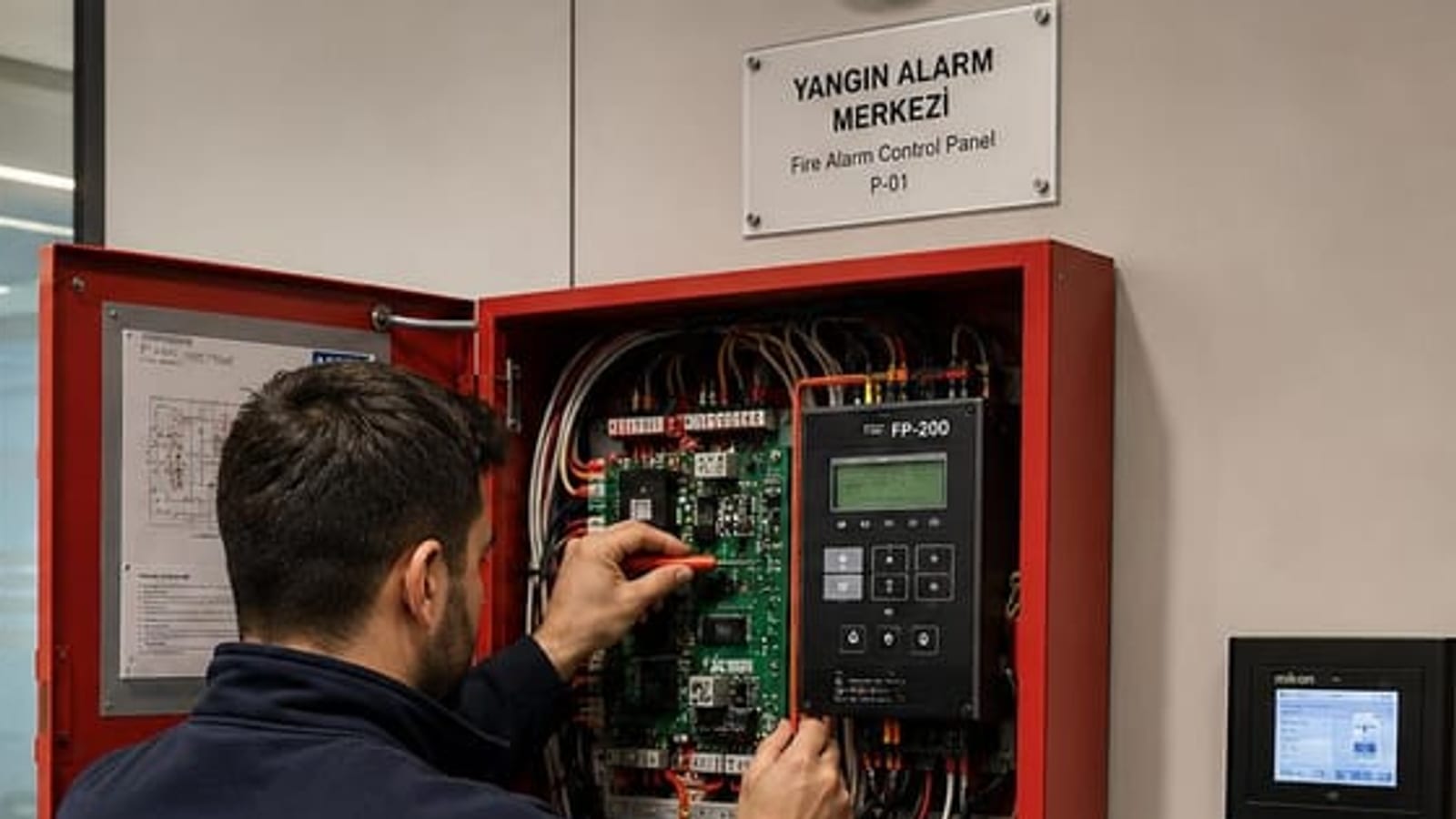
If the fire panel's yellow fault lamp is illuminated, the system may not be able to report fire olmayabilirThis page explains what the error messages given by Blue Maxlogic intelligent addressable control units mean, which ones can tolerate delay, and which ones require intervention on the same day. Maxlogic writes alerts as "fault" rather than "malfunction" — you may not be able to find it because you are searching for the word "malfunction" on the panel.
The following list covers the most frequently encountered error and warning messages in Mavili Maxlogic intelligent addressable fire alarm control panels (ML-123X, ML-124X, ML-1250, ML-125XX series). Each heading carries its own link; you can send the direct link of the relevant section to your technical team.
First, make this distinction. On the panel red indicator is lit, this is alarm— evacuation and fire service procedures are activated. Yellow indicator fault or disabled means: no fire, but the system is not operating at full capacity. This page explains yellow indicators.
Ground fault
What it says: A point in the system wiring has made contact with ground; the line is not isolated from ground as it should be.
Why it matters: A single ground contact alone often does not stop the system — which is why it is taken lightly. The danger lies in the moment when a second ground contact occurs: when two points connect, a section of the circuit behaves like a short circuit and devices on that line are silently disabled. So a ground fault does not mean "nothing has happened yet," it means "the next fault will be catastrophic."
Where it occurs in the field: Crushed cable, torn conductor in a duct, water-damaged junction box under plaster, moisture ingress in external button, loop wire insulation cut at metal conduit edge. Ground faults that appear in humid season and disappear when it dries are almost always water-related.
What to do: Loops are isolated one by one to narrow down which line has the fault, then the line is bisected to halve the search area. This is done from the panel's loop disable menu, and re-enabling the disabled loop when the procedure is finished is mandatory — the most frequent field occurrence is the troubleshooter disabling the loop and forgetting to re-enable it.
Missing device
What it says: An addressable device registered to the panel no longer responds.
Where it occurs in the field: A detector removed for painting/renovation and not reinstalled, a device not fully seated on its base, loose terminals, severed loop wire, faulty device. In buildings undergoing suspended ceiling work, it appears in bulk after renovation.
What to do: The panel provides the address of the missing device; the device location is found from the address list and the device is checked in place. If the device is present, removing it from its base and reseating it resolves most cases; if not, power supply and line continuity are measured.
The trap here: Maxlogic allows you to select the missing device condition to be treated as a fault or as a warning instead. During commissioning, this makes sense so the panel does not sound continuously. If left permanent, the panel will not persistently report a removed detector again — and that area remains unprotected while the panel appears "at rest." During maintenance, where this setting is located must be checked without fail.
New device
What it says: An addressable device not found in the panel's setup data is detected on the loop.
Why it matters: Most of the time it has an innocent cause — a detector replaced during maintenance has not been registered to the panel. But the same message can also indicate that a device has been added to the system without consulting the design . An unregistered device does not exist in the zone map; when it alarms, which area it is in is unknown.
What to do: If the device truly belongs to the system, it is entered into the setup data via automatic learning or manual registration, zone assignment and location name are written. If it does not belong, it is removed from the line. In either case, a current backup of the setup data must be taken.
Contamination warning
What it says: Dust accumulation in the detector's optical chamber has approached the limit the device can self-compensate for.
Why it matters: This is not a fault, it is a timer. A contaminated detector fails in two ways: beyond a certain point, the accumulation is read as smoke (nuisance alarm), and when the compensation limit is reached, it sees real smoke late. The real cost of nuisance alarm begins here — the offending detector is first muted, then disabled, and that area remains unprotected for years.
What to do: Maxlogic control panels can perform loop-based contamination scanning and list results; which detector is at which level can be seen without individual site visits. Devices reaching the limit are cleaned or replaced. Including scan results in the periodic maintenance report shows which areas are progressing faster at the next maintenance — contamination rate in kitchens, parking garages and production lines is several times that of an office.
Battery and power supply faults
What it says: Battery voltage has dropped, battery connection is broken, or the charging circuit cannot sustain power.
Why it matters: The job of fire panel batteries is to keep the system running when power is cut. Fire often comes together with electrical failure; when the battery is depleted, the panel also goes down.
What to do: Voltage measured with mains present does not distinguish a healthy battery from a dead one. The only valid test is to cut mains and monitor runtime from the battery under load. Batteries are consumables: manufacturing date is read, those that have lost capacity are replaced. Connection terminals must not be reversed — this is the only user error that can cause permanent damage to the panel.
Loop fault
What it says: There is a break, short circuit, or communication disruption in the addressable loop.
Why it matters: The power of an addressable system comes from the loop being drawn as a ring (A/B): even if broken at one point, the panel feeds the line from both ends and continues to see devices. If the loop is drawn open-ended instead of as a ring, this protection does not exist and a single break drops everything beyond that point completely. A single break fault also raises the question of "is the installation really a ring."
What to do: Thanks to short circuit isolators, the faulty section is isolated; the address range reported by the panel narrows down which two devices the fault is between. Cable is measured, terminals are checked.
System fault
What it says: The panel's own hardware or software self-check has failed.
Why it matters: Other faults point to the field; this one points to the panel itself. In a system where the panel cannot pass its own self-check, the accuracy of other indicators is also questionable.
What to do: This is not a situation to be resolved at user level. A record is made and an authorized service is notified. If the error repeats when the panel is restarted, intervention should be scheduled the same day.
CRC fault
What it says: The setup data stored by the panel does not match its checksum — that is, the configuration may be corrupted.
Why it matters: Setup data carries the zone map, location names, scenarios, and output relationships. When corrupted, the panel continues to operate but may show the wrong zone or fail to execute a scenario.
What to do: The last verified setup backup is restored to the panel. This is why a configuration backup must be taken after every commissioning and every change, and stored in the facility file — at a facility without backup, this error means the system must be introduced from scratch.
Silence, reset, and disable
These three operations are constantly confused; the differences are:
- Silence: Cuts the sound. Does not eliminate the event; indicators continue to light. The cause is still there.
- Reset: Clears the panel's event status. If the cause is not remedied, the event returns — a continuously reset panel is concealment of an unresolved fault.
- Disable: Intentionally shuts down a zone, device, loop, or sirens. Maxlogic allows you to do each of these separately. The narrowest scope must be chosen: disabling an entire zone when a single detector suffices leaves all other areas in that zone unprotected.
Disabling must be recorded. Forgetting to re-enable a zone shut down for renovation is the most common and most dangerous situation we see in the field. While a yellow "disabled" indicator is lit on the panel, the system does not report fire, and no one perceives this as a fault. Everything disabled must be written with date, reason, and responsible party, and when work is done, must be re-enabled and documented as thoroughly as it was disabled.
Reading the fault history
Maxlogic control panels maintain event logs and list them both in order of arrival and categorically; they can be printed if desired. Fixing a one-time fault is not enough; it is necessary to check how many times the same fault has repeated. A device that disappears and reappears monthly means a loose terminal; ground fault appearing every rain means a water-damaged junction box. Intervention performed without reading the event log means resolving the same fault again three months later.
Could you not resolve the fault in your panel?
We provide fault diagnosis, commissioning, and periodic maintenance service for Mavili Maxlogic and Mavigard systems. We are based in Ankara and serve all of Turkey. If you send us the message on the panel's screen and the device address if available, we can tell you in advance whether the intervention can be resolved on-site or by remote guidance.
Frequently Asked Questions
Yellow light is on in the Maxlogic panel, is it dangerous?
Yellow indicator is not a fire alarm; it indicates a fault in the system or a zone that has been deliberately disabled. It means there is no fire but the system is not operating at full capacity — meaning a fire may not be reported. Rather than silencing and leaving it, the fault should be read and remedied.
The fire panel keeps beeping, how do I silence it?
The silence button on the front of the panel cuts the buzzer sound. However, silencing only mutes the sound: if the fault indicator continues to light, the cause is still there. Resetting is also not a permanent solution — if the cause is not remedied, the fault will return shortly.
What does Maxlogic earth fault mean?
It indicates that a point in the system wiring is in contact with earth. On its own it does not generally stop the system, which is why it is often overlooked; the real danger is the occurrence of a second earth contact, at which point part of the loop behaves like a short circuit. The most common causes are crushed cable, abraded conductor, and waterlogged junction boxes. Earth faults that appear in humid weather and disappear when it dries are almost always water-related.
How is missing device fault remedied?
The panel provides the address of the missing device; the location is found from the address list and the device is inspected in place. The most common cause is a detector that was removed during renovation and not reinstalled or not fully seated on its base. If reseating does not resolve it, power supply and loop continuity are measured. Changing this fault to "alert" in the panel settings hides the problem, it does not solve it.
Does a detector giving a soiling alert continue to operate?
Yes, but its sensitivity is questionable. A soiled detector tends to both produce false alarms and detect real smoke slowly. An alert is not a fault but a maintenance schedule: the device should be cleaned or replaced. In kitchens, car parks, and manufacturing areas, soiling occurs several times faster than in office environments.
We disabled a zone for maintenance, is there any risk?
A disabled zone is unprotected during that period and the panel will not report it as an alarm. For this reason, the smallest possible scope should be selected — do not disable an entire zone when a single detector will suffice. Disabling should be recorded with date, reason, and responsible person, and its re-enabling after completion should also be documented. The most common danger we see in the field is zones that were forgotten to be re-enabled.
Why is a configuration backup of the panel requested?
Installation data carries the zone map, location names, and scenarios. In the event of data integrity error such as CRC or card replacement, this backup is the only recovery option. A site without a backup means the system must be commissioned from scratch. A backup should be taken after every commissioning and every change and stored in the site file.
We have an older Mavigard panel, is it still supported?
Mavigard is the Mavili series prior to Maxlogic and there are still many operating systems of this type in the field. In these systems, maintenance, troubleshooting, and spare parts supply where possible can be provided. Where parts cannot be found, a phased transition plan is arranged: when the panel is renewed, part of the existing loop wiring can in most cases be retained, which significantly reduces the cost of the renewal.